


Learn to Read - Readability
4.6453.00 Reviews
App Specs
- Version
- 5.17.1
- Updated On
- License
- Free
- Downloads
- 100,000+
- Developer
- Readability Reading Tutor
- Categories
- Education
- Platform
- Android
Screenshots
 Analysis by AppCompare
I’d think of Learn to Read - Readability less as a general reading library and more as a guided practice option for a child who needs support sounding out and understanding text. That distinction matters: a child who already reads comfortably may prefer to choose books freely, while a developing reader can benefit from a routine that makes reading aloud part of the activity. I’d use it alongside an adult’s encouragement, not as a replacement for shared reading or a teacher’s guidance.
Where families may get stuck
The first hurdle with a reading tutor is often not the lesson itself but getting a child comfortable with reading aloud to a device. Some children enjoy the immediate interaction; others feel self-conscious when they make mistakes or hear corrections. I’d introduce the app as practice rather than a test, sit nearby at first, and let the child pause when they need to. A calm, short session is more useful than insisting on finishing a story when frustration has taken over.
Read-aloud tools also depend on a clear spoken response. If a child mumbles, rushes through a sentence, or reads from too far away, recognition may not reflect what they know. That makes it important not to treat every correction as proof that a word was read incorrectly. I’d listen alongside the child and use the app’s feedback as a prompt to revisit a word, rather than as the final authority on their reading ability.
Setup checks that make practice easier
Before a first session, I’d check that the device is running a compatible operating system and that the app is up to date; the current version is 5.13.14, and the minimum OS is 8.1. I’d also find a quiet spot, place the device where the reader can speak naturally, and make sure the screen is easy for the child to see. These simple checks can prevent avoidable interruptions and make it easier to tell whether a problem is with the setup or with the reading task.
The app is free to download, but it also offers in-app purchases priced from $19.99 to $139.99 per item. I’d look at the available purchase details in the app before building a family routine around paid content. That is especially sensible when more than one child might use it: first see whether the app suits each reader’s needs, then decide whether any additional spending makes sense. It is rated for Everyone, which is useful for families choosing an age-appropriate starting point, though adult supervision still helps younger children stay focused.
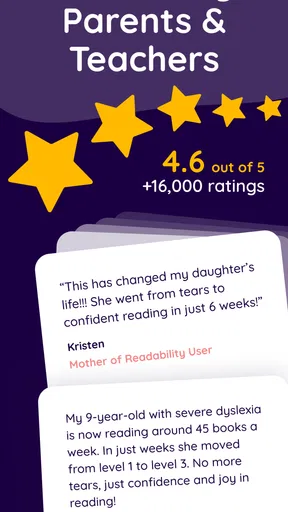
Made by Readability Reading Tutor, this education app is aimed at early-grade reading support, particularly for readers in the first through fourth grades. It has a 4.5 average from around 2.9 thousand ratings, with roughly 398 written reviews and over 100 thousand installs. Those figures suggest that many people have tried it, but they can’t tell me whether it will fit a particular child. I’d judge that by how the reader responds to the voice-based practice and whether the available material matches their level.
A routine that works beyond the first session
A useful way to try the app is to make it one small part of an ordinary reading routine. For example, after school, a parent could set aside a quiet stretch of time, let the child work through a manageable reading activity, and then ask them to explain one thing they remember. The point is not to turn every session into a lesson with a score at the end. It is to make reading feel regular and to notice whether the child is becoming more willing to tackle words aloud.
Worth Reading Before You Choose

EA SPORTS FC Mobile 26 Is a Bigger Football Game, but It Takes Time

Flipboard Shows What News Apps Must Do Beyond the Feed

Switching to Android Auto Means Rethinking Your Driving Routine

Google Calendar Makes a Crowded Week Easier to Manage

Ludo King Makes the Most of the Minutes Between Plans

Baby Panda World Brings Quick Play to Modern Phones, but Its Game Library Feels Busy
I’d also keep a paper book nearby. If a child gets stuck repeatedly on a particular word or sound, pausing to talk it through together can be more helpful than pushing ahead just to complete an activity. Then the child can return to the app when ready. This balance helps prevent screen-based practice from becoming the only kind of reading they do, and it gives a parent a chance to connect a digital exercise with the slower, more conversational experience of sharing a book.
How it compares with other ways to learn
Compared with a basic ebook or a standard digital library, a reading tutor has a more structured purpose: it is intended to support practice, not simply provide pages to browse. That focus may be helpful when a child needs a reason to read aloud and adult support is not available for every minute of practice. On the other hand, a library app or print book is a better fit when the priority is choosing stories freely, reading at the child’s own pace, or enjoying text without voice recognition in the mix.
It is also different from working one-to-one with a teacher or specialist. An app can make practice more convenient at home, but it cannot understand the full context behind a child’s difficulties or decide what kind of instruction they need. If a child’s reading struggles persist, or if practice regularly becomes upsetting, I’d speak with their teacher rather than expecting an app to diagnose the cause. The strongest use case is supplementary practice, not a substitute for individual help when that is needed.
So, I recently spent some quality time with the Learn to Read - Readability app, and I have to say, it’s a game-changer for anyone looking to enhance their reading skills. Whether you're a parent hoping to help your child improve or an adult trying to brush up on your skills, this app seems like it has something for everyone.
First Impressions and Getting Started
Right off the bat, the app’s interface is super friendly and easy to navigate. You don’t have to be tech-savvy to get started, which is a huge plus. After downloading it from the app store, you’re greeted with a welcoming home screen that introduces you to the main features.
Setting up an account took only a few minutes. You can tailor the experience by choosing the level of reading proficiency, which is fantastic because it means the app is personalized right from the start. For parents, there’s a feature to set up separate profiles for each child, so everyone gets a customized experience.
Diving Into Features
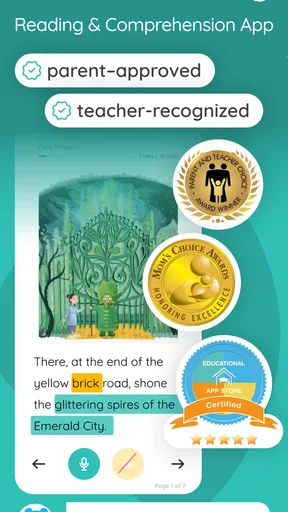
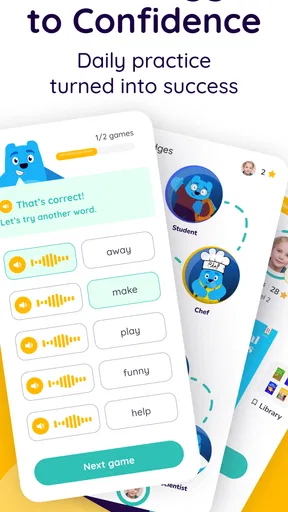
The app is packed with features designed to make reading not just easier but also fun. The interactive stories are a big hit. They’re engaging and come with vibrant illustrations that keep you hooked. For kids, this is a brilliant way to make reading less of a chore and more of an adventure.
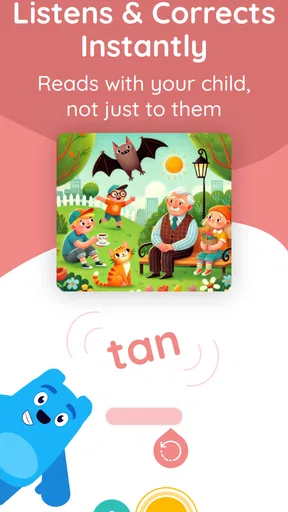
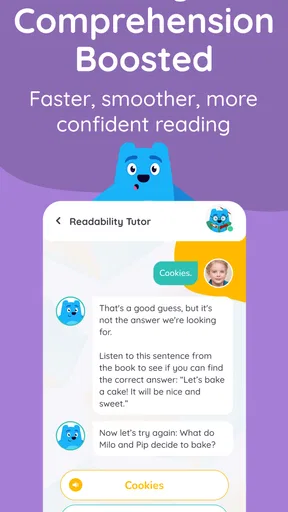
What I found particularly impressive is the app's use of AI technology to offer real-time feedback. As you read aloud, the app listens and provides instant corrections and suggestions. This is like having a personal tutor right there with you, pointing out areas of improvement.
There are also comprehension quizzes after each story. These are a fantastic way to ensure that you’re not just reading but actually understanding the content. The quizzes are fun and not too challenging, making them perfect for all ages.
Why It Stands Out
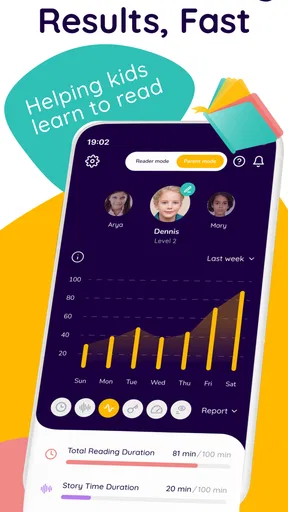
One of the standout features has to be the progress tracking. The app provides detailed reports, showing improvements in reading speed, accuracy, and comprehension over time. This is great for motivation, as you can visually see how much you’re improving, week by week.
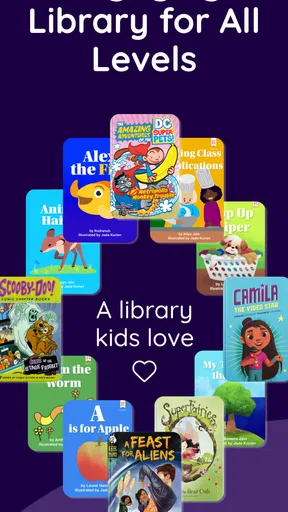
Another thing worth mentioning is the app’s library. It’s extensive and constantly updated with new content, so you’re never getting bored with the same old stories. There’s a great mix of genres and difficulty levels, ensuring there’s something for everyone.
Room for Improvement
While the app offers a lot, there are a few areas where it could improve. The voice recognition, although generally accurate, sometimes misses nuances in pronunciation. For some users, this might be a bit frustrating, but it’s nothing that can’t be worked around.
Additionally, while the design is mostly intuitive, a few sections could use more clarity. For example, navigating back to the home screen from deeper within the settings menu can be a tad confusing.
Wrapping It Up
All in all, Readability provides a comprehensive and enjoyable reading experience. Its use of technology to support learning is impressive and effective. Whether you’re a parent helping your child or an adult looking to improve, this app has a lot to offer. It’s a worthwhile download and a fantastic tool for enhancing literacy in a fun and interactive way.
So, if you’re on the lookout for a reliable reading app, this might just be the perfect pick. Happy reading!
When the app may not be the cause
If a session feels awkward, I’d avoid assuming immediately that the app or the child is at fault. Background noise, an unclear speaking position, fatigue, or a child who is not ready to read aloud can all make practice less smooth. I’d try again at a calmer time and listen to the child directly. If the same difficulty appears with printed books and other reading activities too, the app is unlikely to be the whole explanation.
There is also a difference between a child struggling with a story and a child struggling with the format. Some readers need to hold a physical book, point to each line, or have an adult read a passage first. If that describes your child, I’d keep those supports in place rather than insisting that digital practice must work on its own. The app is most useful when its format lowers the barrier to practice, not when it adds pressure.
My practical verdict
I’d recommend this app to families looking for structured early reading practice, especially when a child is willing to read aloud and benefits from a guided activity. It may also suit an adult who wants a gentle way to practise, although its clearest focus is young readers in the early grades. I’d skip it if you mainly want an open-ended ebook collection, a fully offline print-like experience, or a replacement for professional support. The free download makes it possible to explore before deciding whether any in-app purchase is worthwhile.
My main advice is to treat the app as one tool in a wider routine: give the child a quiet place to use it, stay close enough to help when feedback seems confusing, and mix digital practice with books and conversation. If the child finishes a session feeling capable of trying another page, that is a more meaningful sign of fit than simply completing an activity. For that kind of supportive, repeatable practice, it is a sensible option; for every other reading need, a book, teacher, or different learning tool may serve the family better.
Pros
- Interactive lessons engage young readers.
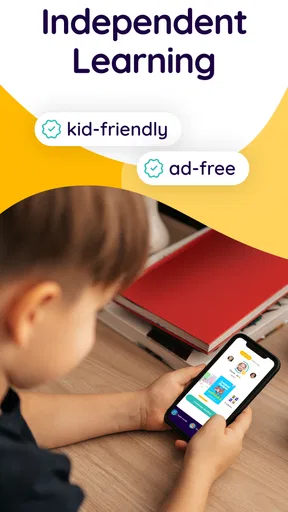
- User-friendly interface for children.
- Includes a variety of reading levels.
- Tracks progress with detailed reports.
- Colorful graphics enhance learning.
Cons
- Requires subscription for full access.
- Limited offline content availability.
- Ads may interrupt free version.
- Some features need internet connectivity.
- Voice recognition can be inconsistent.
FAQs for Learn to Read - Readability
What is Learn to Read - Readability and how does it work?
Learn to Read - Readability is an educational app designed to help children develop their reading skills. It uses interactive stories and exercises tailored to different reading levels. The app provides real-time feedback and uses speech recognition technology to assist in pronunciation and comprehension, making learning engaging and effective.
Is Learn to Read - Readability suitable for all age groups?
The app is primarily designed for young children, typically aged 4 to 8, who are in the early stages of learning to read. Its content is crafted to be age-appropriate and progressively challenging. However, it can also be beneficial for older children who need additional reading support or practice.
Does Learn to Read - Readability require an internet connection?
While some features of Learn to Read - Readability can be accessed offline, an internet connection is necessary for downloading new content and updates. Additionally, the speech recognition feature, which provides real-time feedback, requires an active internet connection to function effectively.
Are there any in-app purchases or subscriptions in Learn to Read - Readability?
Yes, Learn to Read - Readability may offer in-app purchases or subscription options. These often unlock additional content or features not available in the free version. It's advisable for parents to review these options to determine the best plan that fits their needs and budget.
How does Learn to Read - Readability ensure child safety and privacy?
The app adheres to strict privacy policies designed to protect children’s data. It does not collect personal information without parental consent. Parents can set up profiles and monitor progress, ensuring a safe learning environment. Always review the app's privacy policy for detailed information.


